

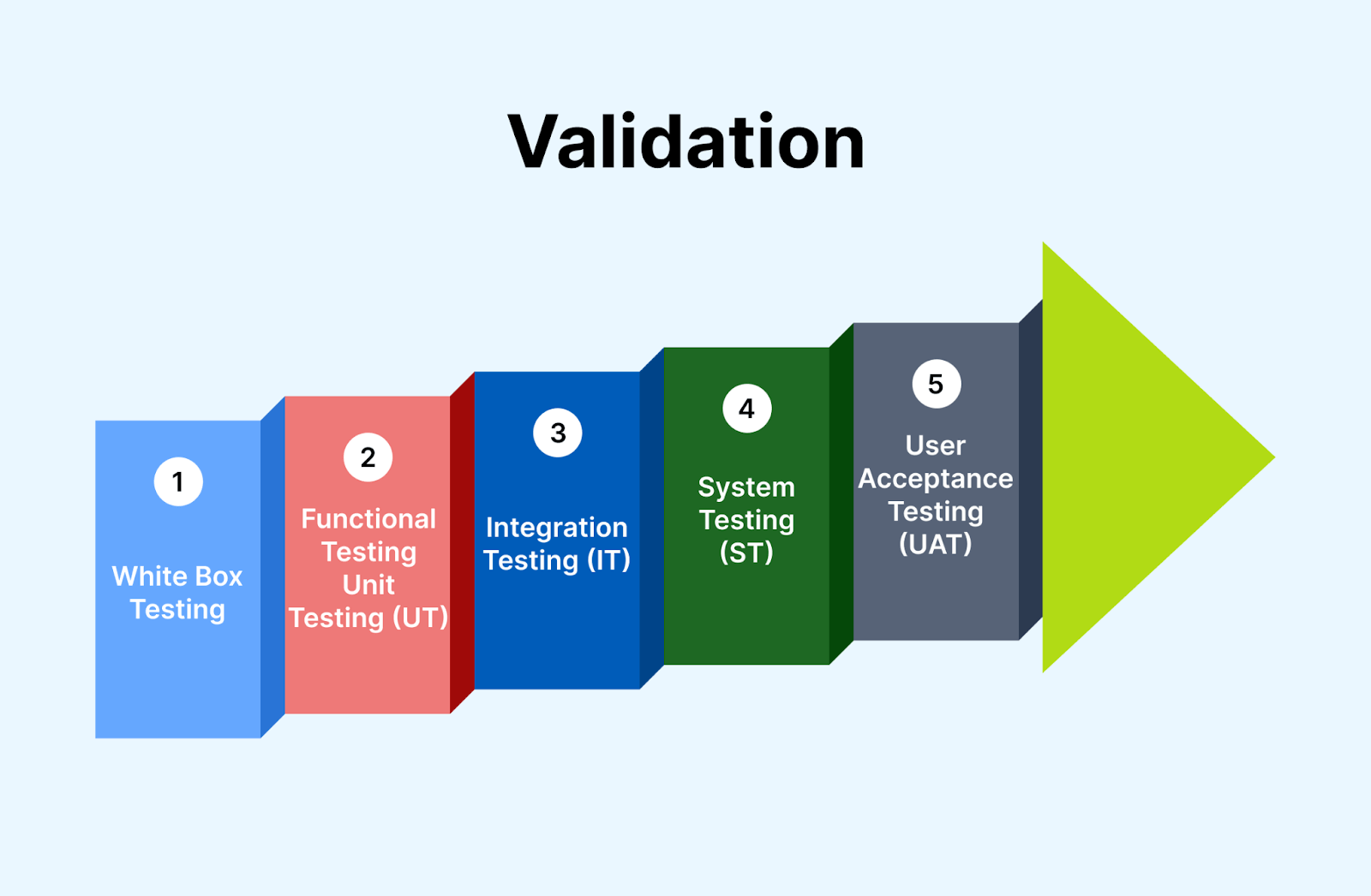
Introduction
In today’s fast-paced development environment, manual testing and validation processes are no longer efficient or scalable. As systems become increasingly complex, the margin for human error grows, and the demand for faster releases intensifies. Automation of the testing validation process not only boosts accuracy but also saves time, cuts costs, and ensures consistent results.
This article walks you through a step-by-step guide to automate testing validation, highlights essential tools, and explores the best practices that help in achieving higher accuracy and efficiency.
What Is Testing Validation?
Testing validation is the process of ensuring that a product or system meets the specified requirements and performs its intended functions correctly. It typically involves functional tests, regression tests, performance tests, and compliance checks. When manual, this process is time-consuming and prone to human error.
Why Automate the Testing Validation Process?
Before diving into automation, it’s important to understand why automation matters in the validation process.
1. Improved Accuracy
Automated scripts execute the same steps every time, reducing human error and inconsistencies.
2. Faster Test Execution
What may take hours or days manually can be executed within minutes using automated tools.
3. Better Test Coverage
Automation enables running hundreds of tests simultaneously, ensuring broader coverage across modules.
4. Continuous Integration Support
Automation fits well into CI/CD pipelines, allowing for real-time validation at every stage of development.
5. Reusability and Scalability
Once created, test scripts can be reused across different environments, products, and projects.
Step-by-Step Guide to Automate Testing Validation
Step 1: Define Your Goals and Scope
Before selecting tools or writing scripts, clearly define:
- What needs to be validated (UI, API, database, performance)?
- What is the expected outcome?
- Which tests will provide the most value when automated?
Step 2: Choose the Right Automation Tools
Your tool selection depends on your tech stack, budget, and team expertise. Below are some popular choices:
| Area | Recommended Tools |
| Functional/UI Testing | Selenium, Cypress, Playwright |
| API Testing | Postman, Rest Assured, Karate |
| Unit Testing | JUnit, NUnit, TestNG |
| Performance Testing | JMeter, Gatling, LoadRunner |
| CI/CD Integration | Jenkins, GitLab CI, CircleCI |
Step 3: Design a Test Automation Strategy
A successful automation plan must consider:
- Test prioritization: Focus on high-impact, repetitive tests.
- Test data management: Use external data files or generate dynamic data.
- Version control: Store scripts in Git or another VCS.
- Reporting: Integrate test reports for actionable insights.
Step 4: Write Robust Test Scripts
Use programming best practices to ensure reliability and scalability:
- Use page object models (POM) for UI automation.
- Modularize code for easy maintenance.
- Handle exceptions and retries smartly.
- Use assertions to validate expected outcomes.
Step 5: Integrate with CI/CD Pipelines
For automated validation to be effective, it should be part of your development pipeline.
- Trigger tests on code commits or build deployments.
- Use Jenkins or GitHub Actions to run tests automatically.
- Break the build if critical tests fail.
Step 6: Monitor, Maintain, and Optimize
Automation is not “set and forget.” Regular updates and optimizations are key.
- Review and update scripts with application changes.
- Monitor flaky tests and replace them.
- Use dashboards to track performance and pass/fail rates.
Common Challenges in Test Automation (and Solutions)
1. Flaky Tests
- Problem: Tests fail intermittently without code changes.
- Solution: Improve synchronization (waits), clean up data dependencies, and isolate tests.
2. High Initial Setup Time
- Problem: Writing automation scripts takes time.
- Solution: Start with small, high-value tests and scale incrementally.
3. Maintenance Overhead
- Problem: Scripts break with UI or logic changes.
- Solution: Use version control and maintain abstraction layers to reduce impact.
Best Practices to Enhance Accuracy in Automated Testing Validation
✅ Use Data-Driven Testing
Automate tests using various input data to ensure broad validation coverage. Tools like Excel, CSV, or databases can feed test data into scripts.
✅ Validate End-to-End Flows
Go beyond unit tests. Automate full user journeys—login, form submission, checkout—to validate entire systems.
✅ Include Negative Testing
Ensure your automation checks both valid and invalid inputs. This increases reliability by catching edge-case bugs.
✅ Parallel Execution
Use grid setups or cloud platforms like BrowserStack or Sauce Labs to run tests across multiple browsers and devices simultaneously.
✅ Generate and Analyze Test Reports
Detailed reports help in:
- Identifying frequent failure patterns
- Tracking KPIs like test pass percentage and execution time
- Debugging and tracing back issues faster
Tools for Test Validation Automation: A Quick Comparison
| Tool | Type | Key Features | Best For |
| Selenium | UI Testing | Cross-browser, open-source | Web apps |
| Cypress | UI Testing | Fast execution, DOM snapshots | Front-end validation |
| Postman | API Testing | Easy to use, supports collections | API workflows |
| JMeter | Performance Testing | Load testing, stress testing | Backend systems |
| Jenkins | CI/CD | Pipeline automation, plugins | Integration with VCS |
Real-World Use Case: Automating Testing Validation in Agile
A software company adopting Agile methodology used automation to improve sprint velocity. Initially, manual validation consumed 25% of development time. By introducing Selenium for UI testing and Postman for API checks, they:
- Reduced validation time by 60%
- Increased test coverage from 30% to 85%
- Detected 40% more bugs before production
This shift allowed faster releases and higher product quality with fewer defects.
Automation vs Manual Testing Validation
| Feature | Manual | Automated |
| Speed | Slow | Fast |
| Accuracy | Prone to error | High |
| Cost Over Time | High | Lower in long run |
| Scalability | Limited | Highly scalable |
| Reusability | Low | High |
Manual testing is still essential for exploratory testing and usability evaluation, but automation is unmatched in speed and consistency for repeated validation tasks.
Future Trends in Testing Validation Automation
🚀 AI-Powered Testing
Tools like Testim and Applitools use AI to detect visual bugs, self-heal broken scripts, and predict failure points.
☁️ Cloud-Based Testing Labs
Cloud platforms offer scalability, parallelism, and cross-environment validations without infrastructure setup.
🔁 Autonomous Testing Bots
Some startups are working on bots that write, execute, and maintain tests using natural language inputs.
FAQs
Q1. Can all tests be automated?
No, not all tests. Exploratory, usability, and subjective validations are better suited to manual testing.
Q2. How do I choose which tests to automate?
Focus on high-volume, high-risk, and repetitive tests. Regression tests are excellent candidates.
Q3. Is automation expensive?
Initial investment may be high, but long-term ROI is significant through reduced defects, faster delivery, and lower manual effort.
Q4. Do I need coding knowledge for automation?
Many tools require coding, but codeless platforms like Katalon or Testim offer alternatives.
Q5. How often should I update test scripts?
Scripts should be reviewed every sprint or whenever the application undergoes major UI or logic changes.
Conclusion
Automating the testing validation process is not just a technical upgrade—it’s a strategic shift towards accuracy, speed, and continuous improvement. From selecting the right tools to writing scalable scripts and integrating with CI/CD pipelines, every step enhances your software delivery lifecycle.
In an era where quality can make or break a product, automation in validation isn’t optional—it’s essential.
