


The website has been performing well in your area, and now you’re expanding operations to a second office, showroom, med spa, or other space. The question is how best to update your online presence.
A simple line on the contact page announcing a second location isn’t enough. Customers will be looking for details to make sure they’re contacting and/or visiting the right team. Here’s what to consider when updating the site to support an expanding business.
Build the Location Page Before Opening
Two Weeks Before Opening
Create a location-specific landing page.
You should start with a dedicated landing page for each location before the ribbon, balloons, or first delivery arrives, rather than a single landing page with a short explanation of how to determine the best location for your needs. If locations are far apart or offer different services, a location-specific landing page makes sense.
Elements of a Location-Specific Landing Page:
- Accurate location information, including the address, suite number, phone number, map, etc.
- A link to an updated contact form.
- A link to an updated booking system.
- An explanation of the territory you’re servicing.
- A short blurb about the expansion.
- Photos of the new location.
- Any other details a potential customer would need when planning a trip to the location.
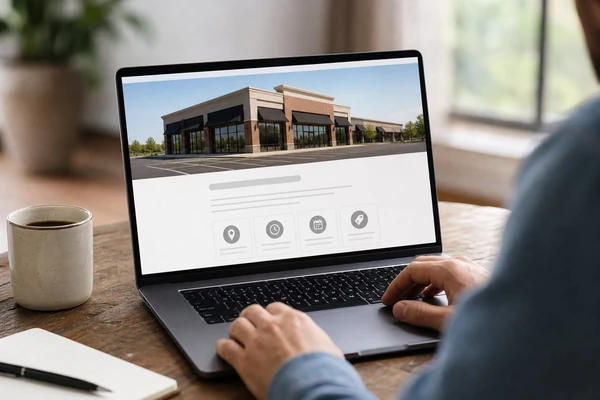
Ask the person who’ll be answering questions about the new location what customers should know when planning a trip to the space. Are there parking considerations? Is there a preferred entrance to use? Are there multiple floors to navigate? Get specific. If one of the receptionists says, “People keep asking which entrance,” then create a map that shows the best place to enter. If there are specific towns or coastal areas the team will be servicing, spell them out.
Set Appointment Rules Before the Calendar Goes Live
If your business allows online booking, make sure customers must first select their preferred location. Don’t show available times until they’ve identified which office they want to visit. Nothing shakes customer confidence quite like thinking they booked an appointment with one office only to realize they’re going to have to drive across town.
Make sure staff understand the cleaning, resetting, etc. time they need between appointments and build this into the calendar. Many medical spas build a 15-minute reset into appointments; having a well-structured Studio 47 Web Design booking experience can help ensure those buffer times are reflected properly. If these details aren’t factored into booking, customers will pile on top of each other in the calendar.
Verify Every Customer Touchpoint at Launch
Opening Day: Check the Fine Details
Once the new location goes live, review each element of the website for accuracy. Double- and triple-check these items:
- Can you book an appointment with the new location? Are the hours accurate? Can you get into and out of the booking flow without confusion?
- Do all contact forms connect to the right people? Will a person who fills out the form know which team will respond?
- Have you tested all phone numbers, particularly any tap-to-call buttons on the site?
- Do any automated emails reflect the right information?
- Have you added a link to the new location to the website’s main navigation?
- Are all location details, including addresses, phone numbers, service area, and others, consistent throughout the website?
- Do your social media accounts (britannica.com/topic/social-media) reflect the new office’s information?
- Have you tested the site on a smartphone, particularly while standing at the new office? It’s amazing how many more usability issues pop up once you’re viewing the website from the parking lot.
- Have you included photos of the new space? Authentic photos of the lobby, storefront, workspaces, and others are helpful for a visitor trying to picture what to expect. Save the stock photos for another day.
Make the Expansion Visible and Track Early Friction
Opening Week: Make the Expansion Visible Everywhere Customers Look
It’s not enough to add a new location to the site. Think about every place a customer might interact with your company, and make sure they’re seeing an accurate picture of your team’s growth.
During this week, pay special attention to questions from customers about your company’s new location. Make sure staff know how to direct people who’ve been routed to the wrong location.
West Palm Beach, FL? What about Palm Beach Gardens? Replace keyword stuffing (click here to know more) with real-world examples of your team’s projects, customer reviews from the area, and more. Customers need local proof that your company will treat them right.
The First 30 Days: Watch Where Requests Get Stuck
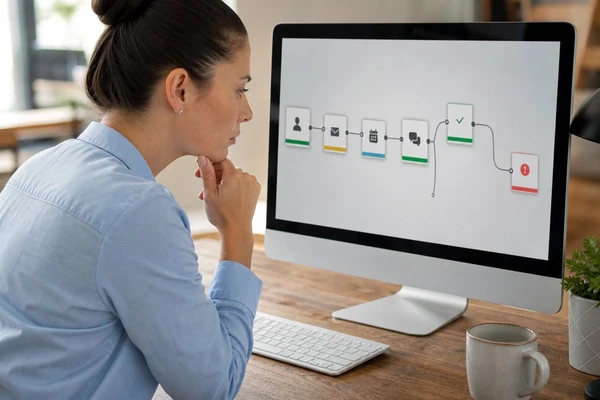
During the first month of operation, review the landing page form fills and booking requests each week, and take calls to make sure they’re going to the right person. Look for any breakdowns in communication and correct them ASAP. Are customers abandoning the online booking system? Are form fills from the landing page making it to the right person? Are map pins making it easy for customers to find the right entrance?
Keep the Location Page Accurate After Launch
Also, make sure the landing page continues to answer questions. Do customers keep calling to find out what floor your suite is on? Consider updating the landing page to clarify directions. Did you over- or understate the drive-time expectation for certain areas? Update the map. Are staff continually answering questions about holiday hours? Get this onto the website.
Keep the New Location Page Useful After Launch
Your location-specific landing page shouldn’t be an afterthought once opening day is in the rearview mirror. Keep the page up-to-date with company growth and use it as a barometer for how well your team is responding to inquiries. Print information straight from the website for use at the front desk. Keep it accessible for potential customers researching your firm. If you’re hiring or changing hours, update the website.
Expanding business operations is exciting. Make sure customers can easily find your firm’s updated information and connect with your team through its website.
